Bar editor · Layouts
BarberOn the marketplace
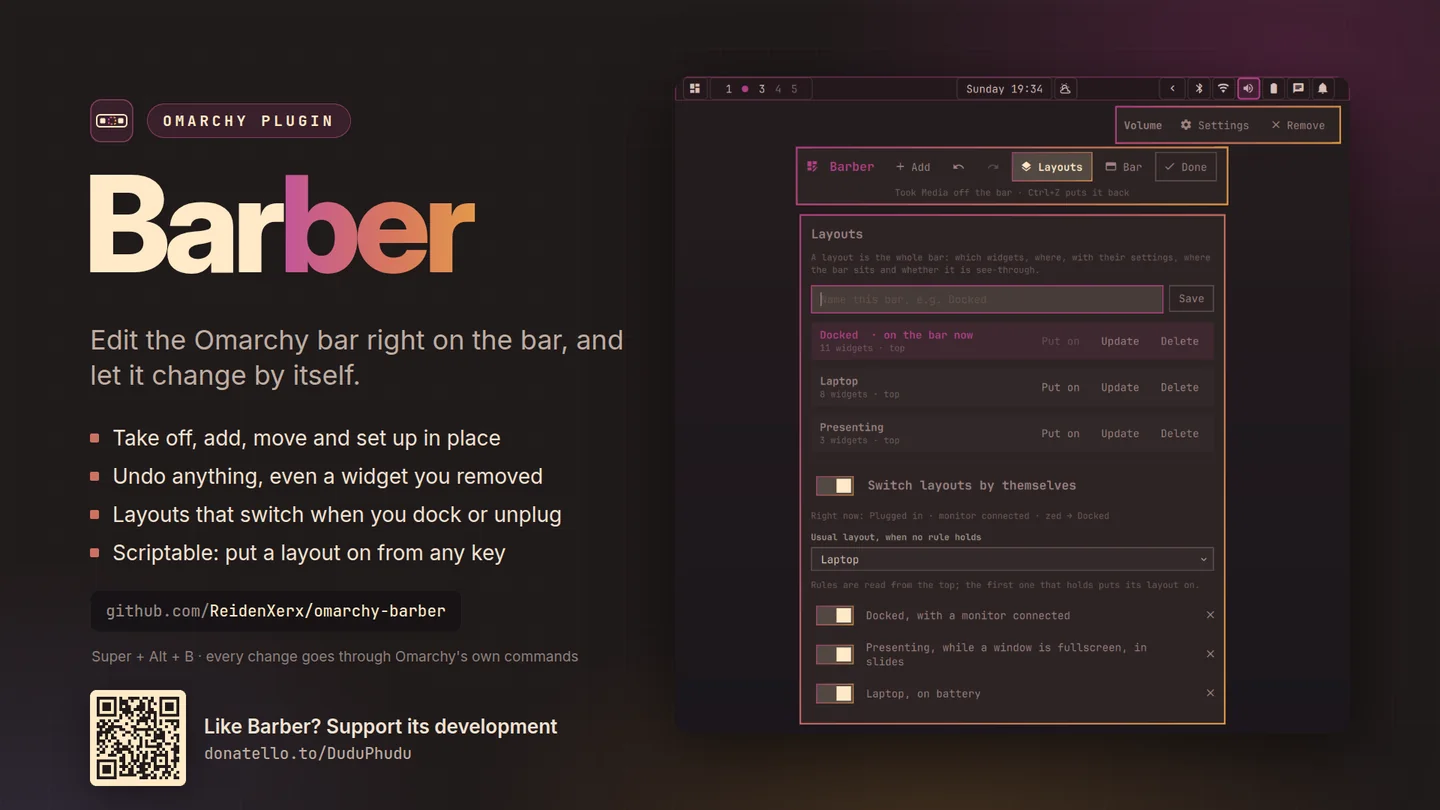
Edit the Omarchy bar on the bar itself.
Every widget gets a frame. Pick one, move it, take it off, add a new one next to it, or change its settings right where it sits.
What only Barber does
Why this one
- Edit where the widgets are.No list of ids in a settings window: the frames sit over the real widgets, so you are moving the thing you are looking at.
- Undo and redo for every change.Even a widget you took off comes back in the same place, with its options.
- Layouts that switch by themselves.Save the bar as a layout — Docked, Battery, Presenting — and add rules for when each applies.
- Scriptable.Save and switch layouts from a key binding or a script.
Using it
How you reach it
| Do this | And |
|---|---|
| SUPER + ALT + B | Edit on the bar |
| Omarchy menu | Style → Menu Bar → Edit on the bar |
Getting it
One command
Then restart the shell with omarchy-restart-shell. Licensed MIT;
remove it any time with omarchy plugin remove.
← All plugins
Free and open source. Support its development.