Input tuning · Touchpad and mouse
TactileOn the marketplace
Tune your touchpad and mouse by feel, and never get stuck with a bad setting.
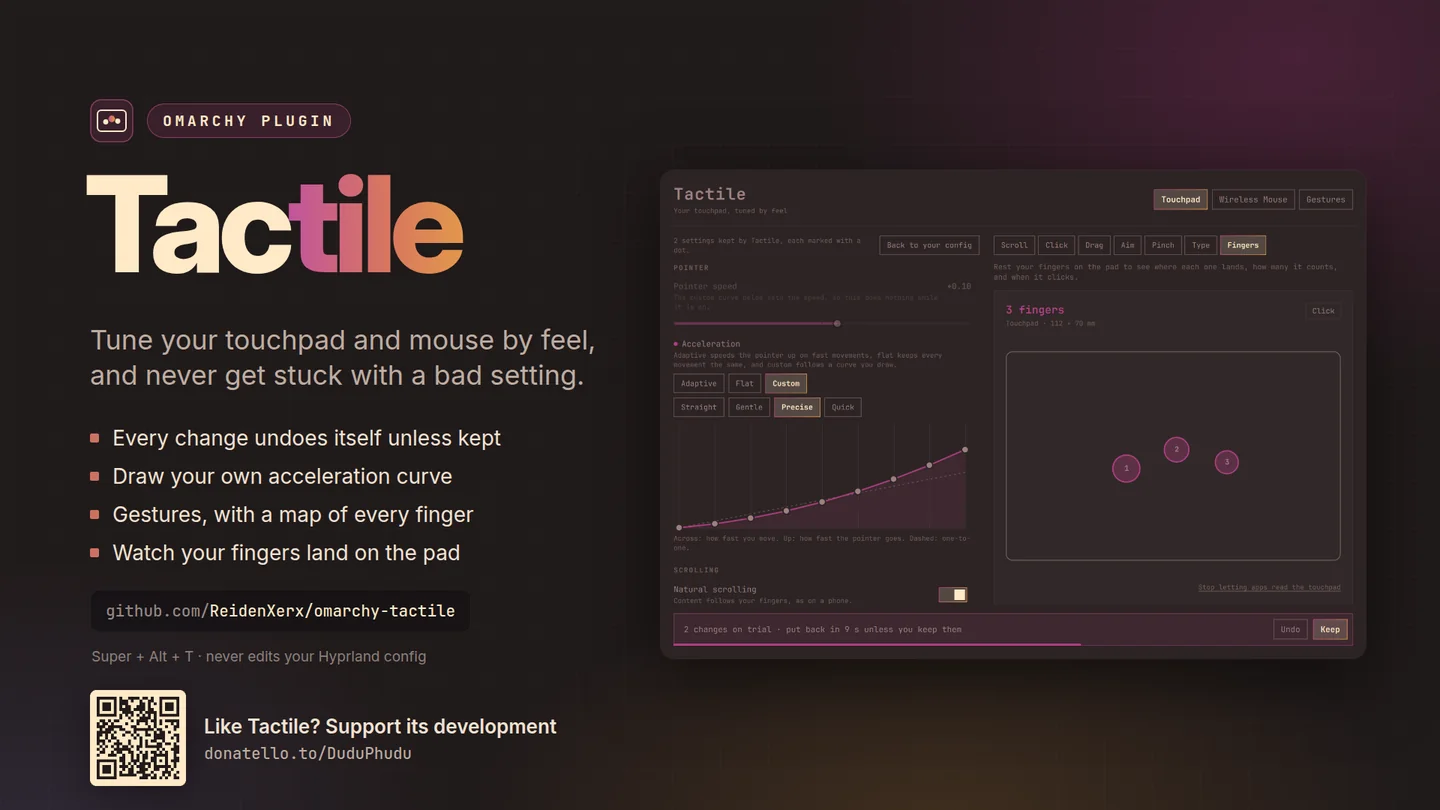
Every touchpad and mouse Hyprland reports gets its own tab, with a feel lab beside the settings so you can try each change the moment you make it.
What only Tactile does
Why this one
- Every change undoes itself unless you keep it.A change applies at once and a countdown puts it back after fifteen seconds, so a setting that makes the pointer unusable cannot strand you.
- A feel lab next to the settings.Scroll a ruler that measures each swipe, and see which button a tap or a press actually sends.
- Draw your own acceleration.Pick Custom and drag the points of the curve, or start from one of the named shapes.
- Gestures with a map of what your fingers do.Add swipes and pinches, with an opt-in live view that draws each finger where it lands, at the pad's real size.
- Your Hyprland config stays yours.Tactile applies its settings while Hyprland runs; it does not rewrite your config behind you.
Using it
How you reach it
| Do this | And |
|---|---|
| SUPER + ALT + T | Open Tactile |
| Omarchy menu | Setup → Touchpad & mouse |
Getting it
One command
Then restart the shell with omarchy-restart-shell. Licensed MIT;
remove it any time with omarchy plugin remove.
← All plugins
Free and open source. Support its development.