Status hub · Bar widget
CockpitOn the marketplace
What your machine is doing right now, in one dropdown.
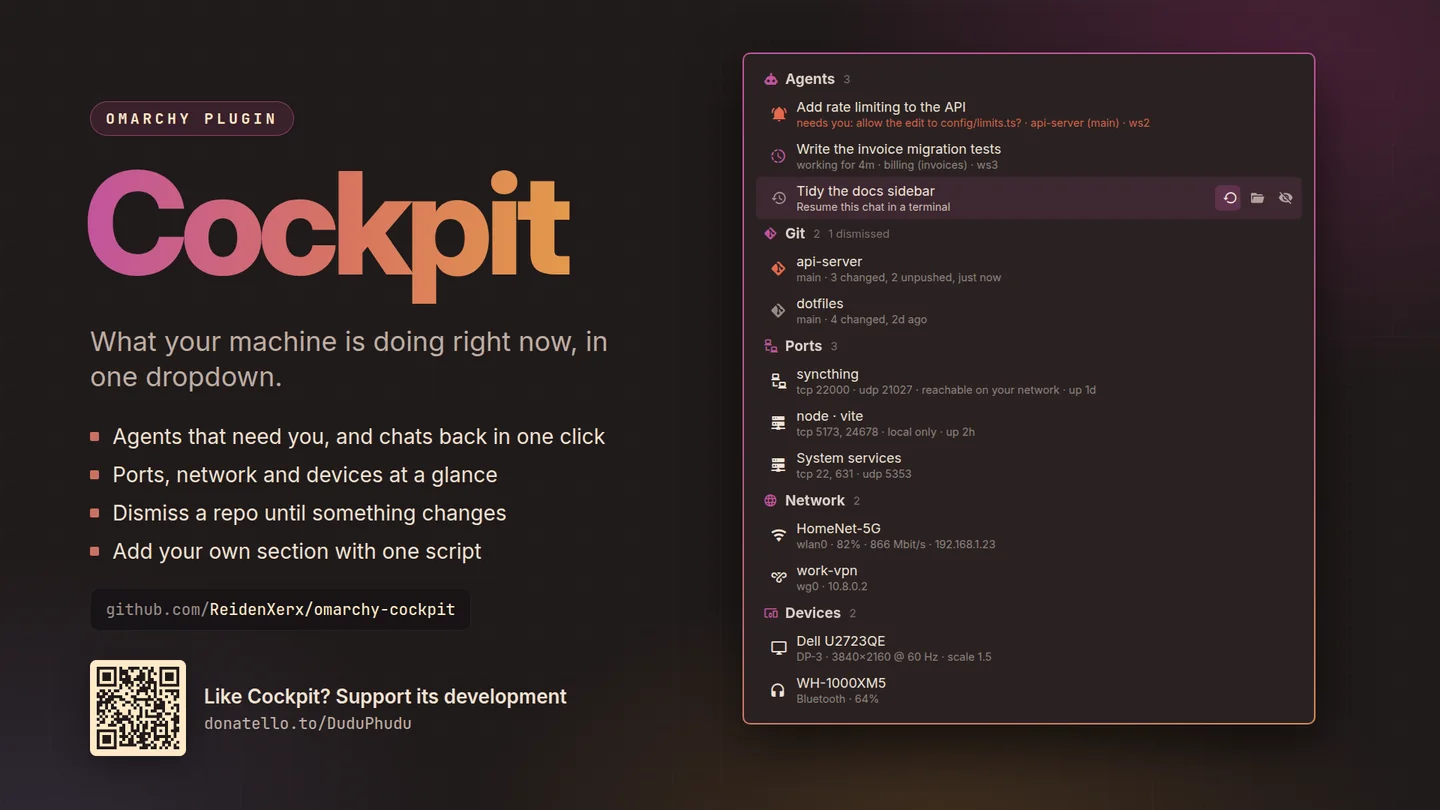
One hub for the things you would otherwise switch workspaces to find out: which AI sessions are working, which are waiting for you, and on what.
What only Cockpit does
Why this one
- Agent sessions, working or waiting.See at a glance which sessions need you, and which are still thinking.
- The chat you closed an hour ago, back in a terminal.One click resumes it where it was, instead of hunting for the session.
- Transfers, long jobs, repos and updates.File transfers with real progress, and the state of the things you are waiting on.
- Add your own section with one script.Anything that prints can become a row, so the hub covers what your machine actually does.
A bar widget: it needs a place on the bar to stay loaded.
Also on KDE Plasma In testing
Cockpit for Plasma 6
The same hub and providers, your own included. Chats and running sessions come from Claude Code's own records; terminals and folders open in Konsole, Dolphin or your defaults.
Then right click the panel, choose Add or Manage Widgets, and drag Cockpit onto it.
Until it is on the KDE Store it installs from its plasma branch.
Getting it
One command
Then restart the shell with omarchy-restart-shell. Licensed MIT;
remove it any time with omarchy plugin remove.