Hourglass
In testingPlasma's task manager says which app is in front; a small recorder service on your session bus keeps the clock and asks Plasma how long you have been idle. One press of Start recording sets it up.
KDE Plasma 6
Nine of the Omarchy plugins, as Plasma widgets.
The same work underneath: the same helpers, recorders and samplers, with a panel or tray widget in
Plasma's own controls and colours on top. Where Plasma already does something well, they work with it instead of
beside it: Dusk drives Plasma's Night Light, Reserve sits next to its battery widget. They are being tested on a
real Plasma desktop now, and install from each repository's plasma branch until they are on the KDE
Store.
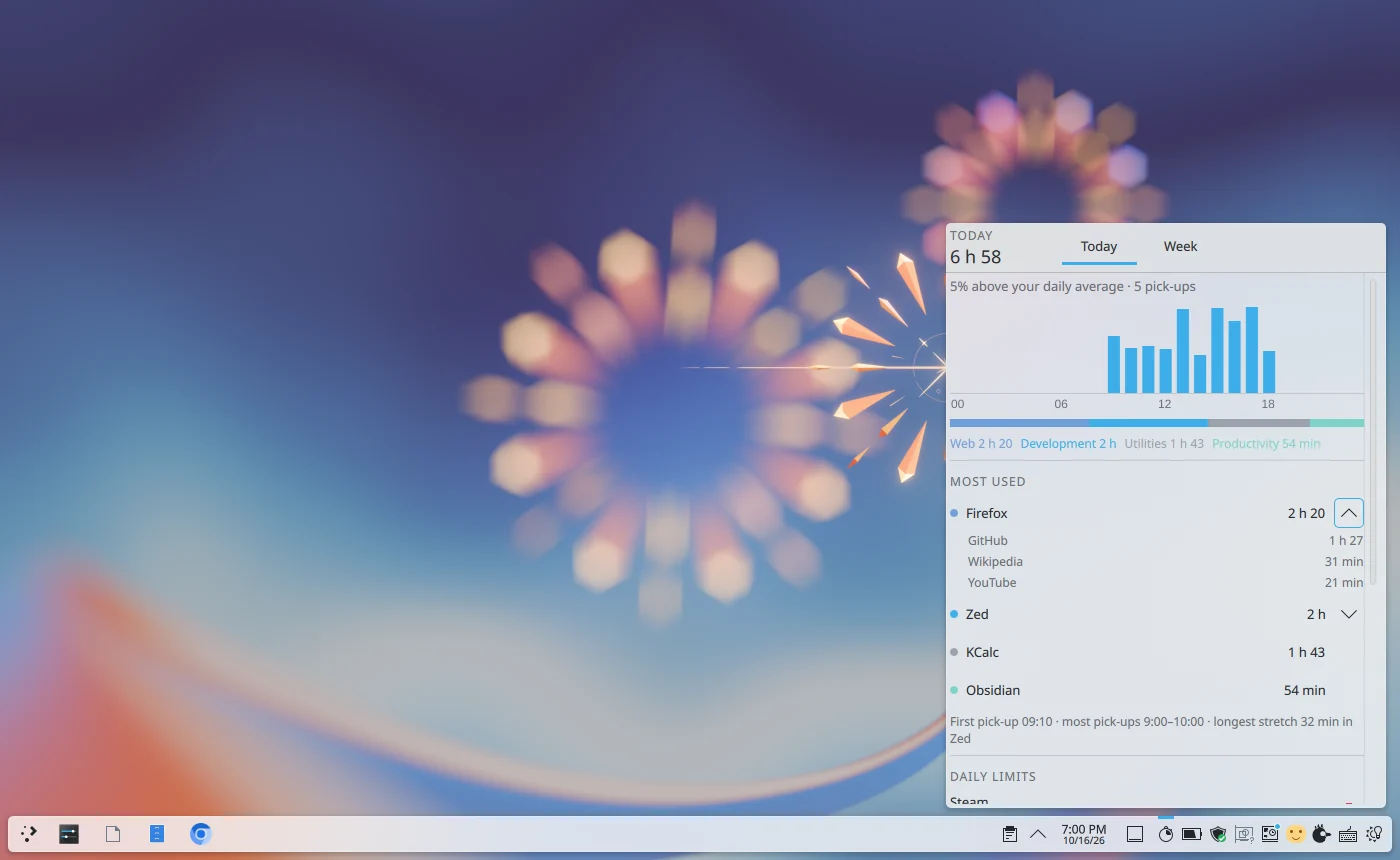
The widgets
Plasma's task manager says which app is in front; a small recorder service on your session bus keeps the clock and asks Plasma how long you have been idle. One press of Start recording sets it up.
Fits the panel or the system tray beside Plasma's own battery widget; the level comes from Plasma's power management, the history from the same sampler.
The band is a strip Plasma keeps above everything, full-screen video included, and alerts, all-clears and a lost feed are Plasma notifications too; the alert one stays until you dismiss it.
An icon in the panel or the tray that is muted while the card sleeps, and gpuwho's list in its popup. Hidden on computers without an NVIDIA card.
A companion to Plasma's own Night Light rather than a second one: true colour for the apps you name or any fullscreen one, off until morning, presets you can preview, and the night on a dial.
The same hub and providers, your own included. Chats and running sessions come from Claude Code's own records; terminals and folders open in Konsole, Dolphin or your defaults.
A popup on the key you give it. Picks are typed by pasting through Plasma's remote-input permission, which it asks for once; GIFs go as their link.
Switches off the keyboards KWin knows, never the touchpad or mouse, with the same four ways back, and switches on any keyboard left off at your next login.
The bird in the panel, a pill while you speak, and its own shortcut. It types by pasting through Plasma's remote-input permission; what you dictate passes through Plasma's clipboard history.
After installing, right click the panel, choose Add or Manage Widgets, and drag the widget onto the
panel or into the system tray. They need Plasma 6 on Wayland, Python 3 and, for some, python-gobject
and notify-send; each page says which.
Typing into other apps
Plasma does not let ordinary programs pretend to be a keyboard, which is how typing works on Omarchy. So on Plasma they do what a person would: the text goes onto the clipboard, paste is pressed through Plasma's own remote-input permission (Ctrl+Shift+V in a terminal, Ctrl+V elsewhere), and your clipboard is put back a moment later. Plasma asks once whether that is allowed; tick “Allow without asking next time” and it never asks again. Anything that passes through the clipboard appears in Plasma's clipboard history, so dictated text does too.
Not on Plasma