Night light · Bar and panel
DuskNew
A night light that follows the sun and knows when to step aside.
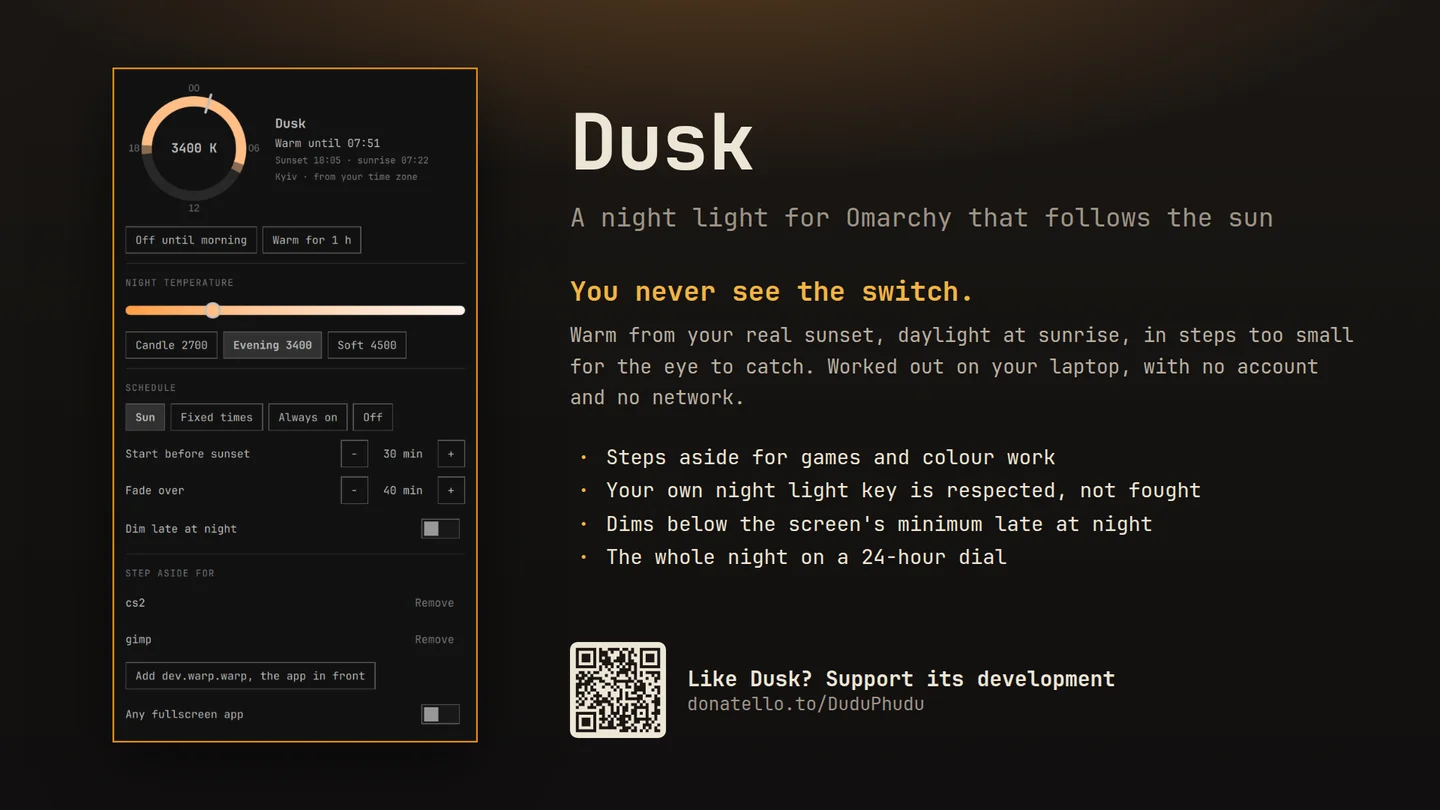
Warm evenings from your real sunset, daylight back at sunrise, and a fade too slow to notice. One click in the bar for everything else.
What only Dusk does
Why this one
- It follows the sun where you are.Sunrise and sunset are worked out on the laptop from Omarchy's weather location or, failing that, your time zone's main city, with no account and no network, and they move with the seasons and the clock change on their own.
- You never see the switch.The colour changes in steps too small for the eye to catch, over forty minutes by default, so the room just seems to get cosier. No sudden orange flash at sunset.
- It gets out of the way when you ask.Name the apps that need true colour, like a game or a photo editor, or every fullscreen app, and the screen goes neutral while one is in front, then warms again when you leave it.
- It respects your hand on the switch.Press Omarchy's own night light key and Dusk takes that as your choice until the schedule next changes, instead of fighting you. A dot on its icon shows when something other than the schedule is in charge.
- Darker than the panel goes.Off until you turn it on: for the small hours, dim below the screen's lowest brightness, along with the warmth.
Built on hyprsunset, which Omarchy already ships. Works offline, needs no root, and changes nothing but hyprsunset's colour and its own settings.
Using it
How you reach it
| Do this | And |
|---|---|
| Click the sun in the bar | The night on a 24-hour dial, temperature, schedule, dimming and the apps it steps aside for |
| Right click it | Off until morning, or back to the schedule |
| Warm for 1 h | Evening colour now, then back to the schedule |
| Add the app in front | Neutral colour whenever that app is focused |
| Omarchy's night light key | Still works, and counts as your choice |
Also on KDE Plasma In testing
Dusk for Plasma 6
A companion to Plasma's own Night Light rather than a second one: true colour for the apps you name or any fullscreen one, off until morning, presets you can preview, and the night on a dial.
Then right click the panel, choose Add or Manage Widgets, and drag Dusk onto it.
Until it is on the KDE Store it installs from its plasma branch.
Getting it
One command
Then add the widget to your bar and restart the shell with omarchy-restart-shell. Licensed MIT;
remove it any time with omarchy plugin remove reidenxerx.dusk.