Screen time · Bar and panel
HourglassNew
Screen time for your laptop, like a phone's.
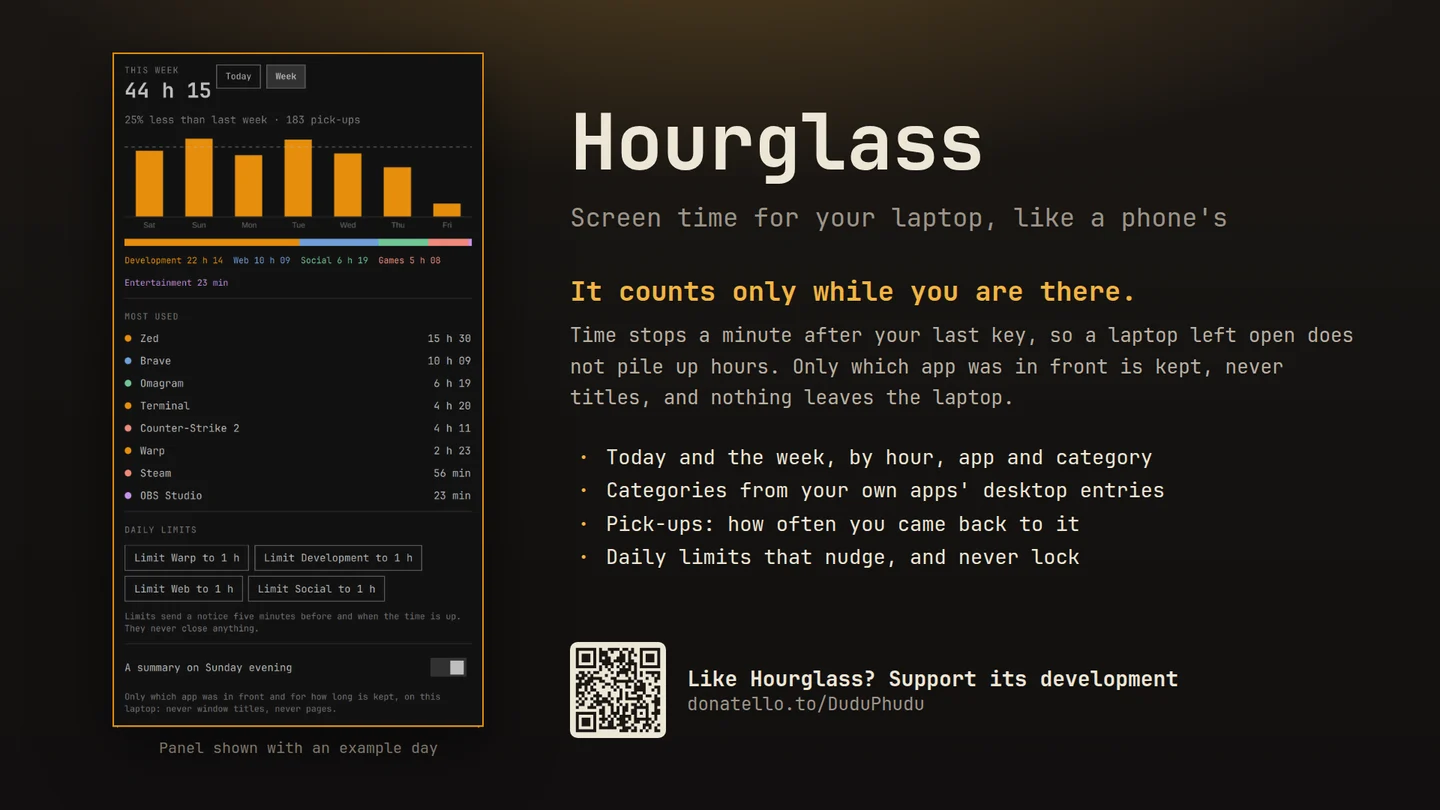
How long you were at the laptop today and this week, by hour, by category and by app, how often you came back to it, and limits that nudge rather than lock.
What only Hourglass does
Why this one
- It counts only while you are there.Time stops a minute after your last key or pointer movement, so a laptop left open does not pile up hours. A film that keeps the screen awake still counts, because you are watching it.
- Categories from your own apps.Development, Web, Social, Games, Entertainment and the rest, read from each app's desktop entry, the same file your launcher uses. Nothing looked up online.
- Pick-ups.Coming back after five minutes away counts as one, with the first of the day and the busiest hour.
- Limits that nudge.A daily allowance for an app or a whole category, with a notice five minutes before and when it is used up. It never closes or blocks anything.
- What you did, when you want it.Turn it on and each app opens to what the time went on: the site in a browser (and the page, for sites you choose), the project in your editor, the program and folder in a terminal. Only what adds up to ten minutes or a tenth of the app's time is listed.
- Private by construction.Details are off until you turn them on, and are short labels, never a window's title. Private windows and password managers are never described, and one button forgets every label. Without details, only which app was in front, for how long, and when you came back is kept, and never off your laptop.
No root, no account, no network. History stays on your laptop: 30 days of detail and two years of daily totals, in a private folder.
Using it
How you reach it
| Do this | And |
|---|---|
| Click the hourglass in the bar | Today or the week: the total, the chart, categories and most used apps |
| Limit … to 1 h | A daily limit for the app in front or a category, then move it in 15-minute steps |
| Hover the icon | Today's time and pick-ups; a dot means a limit is close |
Also on KDE Plasma In testing
Hourglass for Plasma 6
Plasma's task manager says which app is in front; a small recorder service on your session bus keeps the clock and asks Plasma how long you have been idle. One press of Start recording sets it up.
Then right click the panel, choose Add or Manage Widgets, and drag Hourglass onto it.
Until it is on the KDE Store it installs from its plasma branch.
Getting it
One command
Then add the widget to your bar and restart the shell with omarchy-restart-shell. Licensed MIT;
remove it any time with omarchy plugin remove reidenxerx.hourglass.