whiz transcribe recording.mov
A recording goes in. A transcript that knows who spoke comes out.
Most transcription stops at text. whiz transcribes, works out who spoke when, asks you their names once, grabs the frame that was on screen for every segment, and writes a self-contained HTML transcript — from one command, on your own machine.
- local-first · no API keys
- whisper.cpp · sherpa-onnx · Ollama
- macOS · Linux
- MIT
What the one command does
Six steps you would otherwise run by hand
Give it a video and it turns all of this on by itself — screenshots, speaker detection and the naming prompt. Give it audio and it stays out of the way. Every step is a flag you can turn off.
-
01
Extract
ffmpeg pulls the audio out of the video container.
-
02
Transcribe
whisper.cpp, with the best model it can find on your machine.
-
03
Diarize
sherpa-onnx splits one mono track into Speaker A, B, C.
-
04
Name
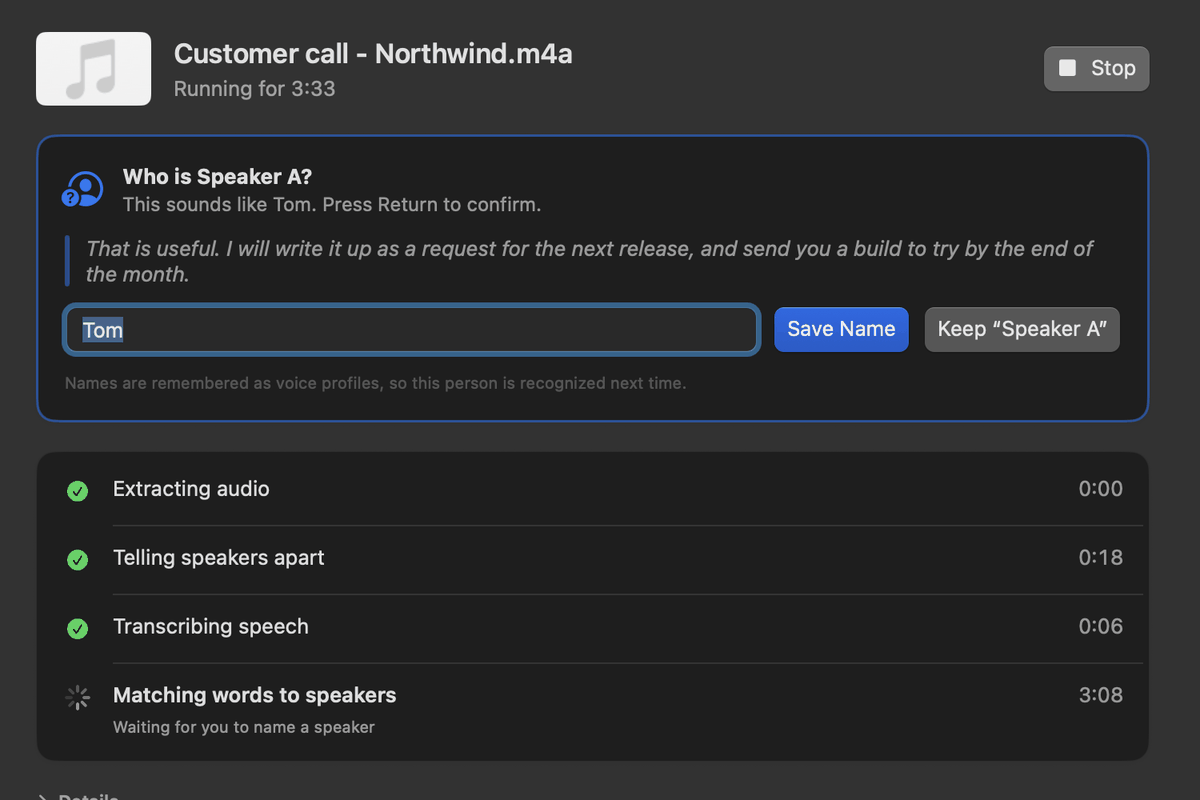
It asks you once, and remembers the voices for next time.
-
05
Capture
One on-screen frame per segment, into a manifest.
-
06
Write
A self-contained HTML transcript. No server, no external images.
What lands next to your recording
Plain files, named after the input, openable anywhere: .srt and .json from the transcription, .speakers.srt and .speakers.txt once the names are in, .frames.json for the captures, and the one file you actually send people — .speakers.html, self-contained, images and all.
Changed your mind about the speaker count? whiz merge re-runs only the diarization and the merge against the transcription you already have, from a cached result. No re-transcription.
We measured it on the 1,900-mod profile. The merge never repaid the extra pass.
Then we kill it. Write it down so nobody re-proposes it in March.
The frame at 4:31 shows the old dialog, so the screenshot in the doc is stale.
Voice profiles
Name someone once. whiz knows them in the next recording.
The first time, it asks: who is Speaker B? You type Bob. That answer is not just a find-and-replace — it saves the voice.
Next week's recording with the same people comes out labeled with no flags at all. Profiles merge across recordings and get more accurate as they see more of a voice, and whiz speakers list shows you who it knows.
Nobody else's server ever hears any of it: the embeddings live on your machine, beside the models.
$ whiz transcribe standup.mov
Speakers  4 detected
    ● Alice   181 segments   known voice
    ● Bob     152 segments   known voice
    ● Carol    12 segments   known voice
    ● Dave      6 segments   new — who is this?

$ whiz speakers list
Alice   14 recordings   profile merged ×3
Bob     11 recordings
Carol    4 recordings
Frames, for you and for your AI
Your AI agent doesn't just read the call. It sees it.
Every line keeps the frame that was on screen when it was said: the slide, the dashboard, the bug in the demo. So an important call becomes something an AI can really work with, what was said and what everyone was looking at.
Hand it to your agent. Point Claude Code, Codex, Cursor or any agent that works with files at the recording's folder: the named transcript, an index of every line with its time, speaker and frame (.frames.json), and the frames themselves. It can turn the meeting into tickets with the slide each decision was made on, check the numbers on screen, or write up the bug that was demoed, picture included.
Or make it one file. In the Mac app, Export for AI writes a PDF with the named transcript and every screen that changed, in place, ready to drop into ChatGPT or Claude, or a Markdown file for agents. Thirty minutes on twelve slides is twelve images, not three hundred.
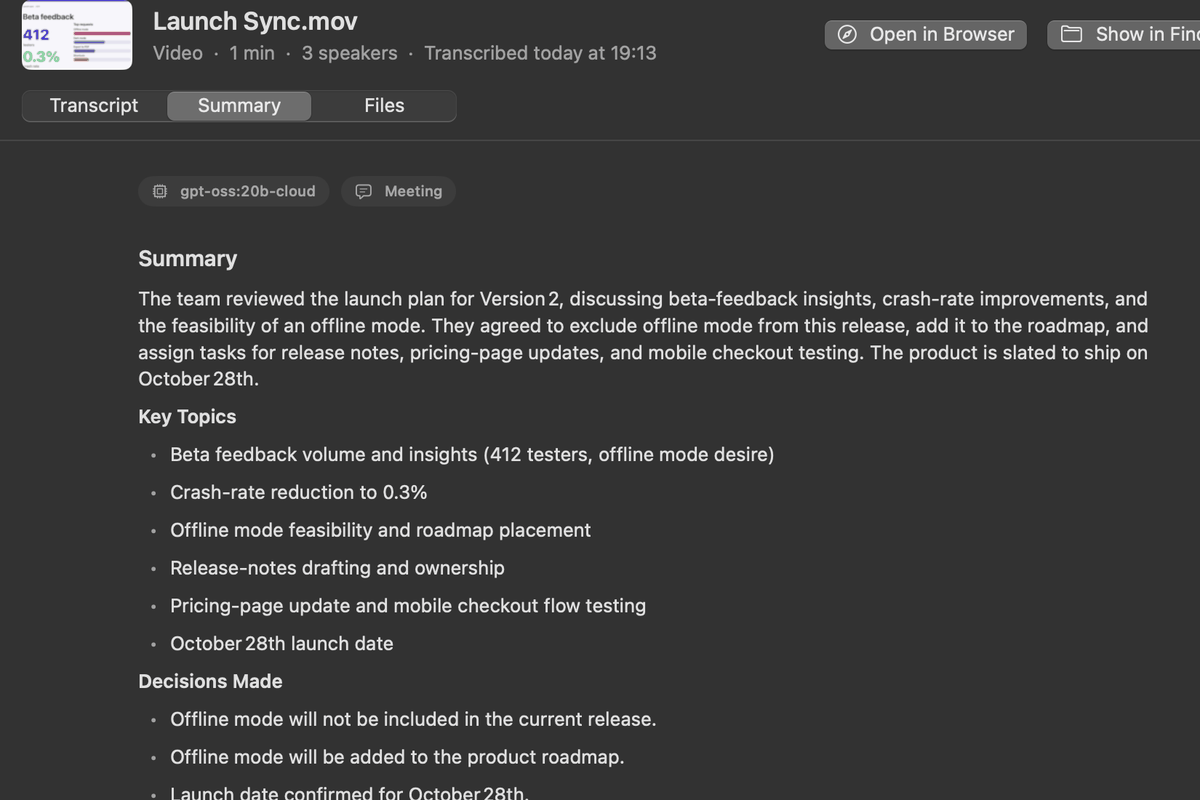
Or let whiz do it. The built-in analysis sends the transcript and the frames to a model that can see. It reconciles what is visible with what was said and flags the discrepancies: the number on the slide that nobody read out, the dialog that has since been redesigned. Consecutive frames are a sequence, so it reasons about what changed between them. It turns itself on when frames exist and the model can take them.
Asking an agent
Read "Launch Sync.frames.json" and look at its frames. Turn the meeting into tickets, one per decision, each with the slide it was made on.
From an analysis
Discrepancy at 04:31. Carol says the export dialog has three options; the frame shows four, with "CSV (legacy)" added. The doc quoted in the meeting is older than the build on screen.
Long recordings
An hour-long video is not one enormous prompt. A rolling-context map-reduce keeps every call focused on a small, coherent window, so quality holds at the end of the recording — and it costs no extra calls.
Essentials
Every analysis ends with the part you feed back
After the summary, the action items or the implementation plan, whiz appends a dense ## Essentials list: every fact, decision, number and UI detail, written to be read by a model rather than admired by a human.
Hand it to the next whiz analyze and the model starts where the last one finished, instead of re-reading an hour of dialogue. No flag, no second file — it is simply always there.
recording.analysis.md

## Essentials

- Merge pass on the 1,900-mod profile: measured,
  never repaid — dropped (Alice, 00:12)
- Decision: kill it; record so it is not
  re-proposed (Bob, 00:29)
- Export dialog now has 4 options, not 3;
  doc is stale (frame 04:31)
- Open: who owns the migration note
Local by default
Nothing leaves your machine unless you send it somewhere
Transcription runs on whisper.cpp, diarization on sherpa-onnx, analysis on Ollama — all on your hardware, with no account and no API key. Point it at an OpenAI-compatible endpoint if you would rather, but that is a choice you make, not a default you discover.
- ▸Python 3.11+ and
pipx - ▸whisper-cli on your PATH, and one ggml model
- ▸ffmpeg, for video inputs
- ▸Ollama, only if you want the analysis
It used to do this too
Dictation moved out, and became Mynah
Typing what you say into whatever window has focus grew into its own thing: Mynah, a separate tool with its own hotkey, its own indicator and its own release. Two products, each explicable in a sentence, instead of one that needed two.
Your old settings are not lost: Mynah imports the dictate_* keys from whiz's config on its first run.
Whiz for Mac
The same engine in a Mac app. Nothing to install.
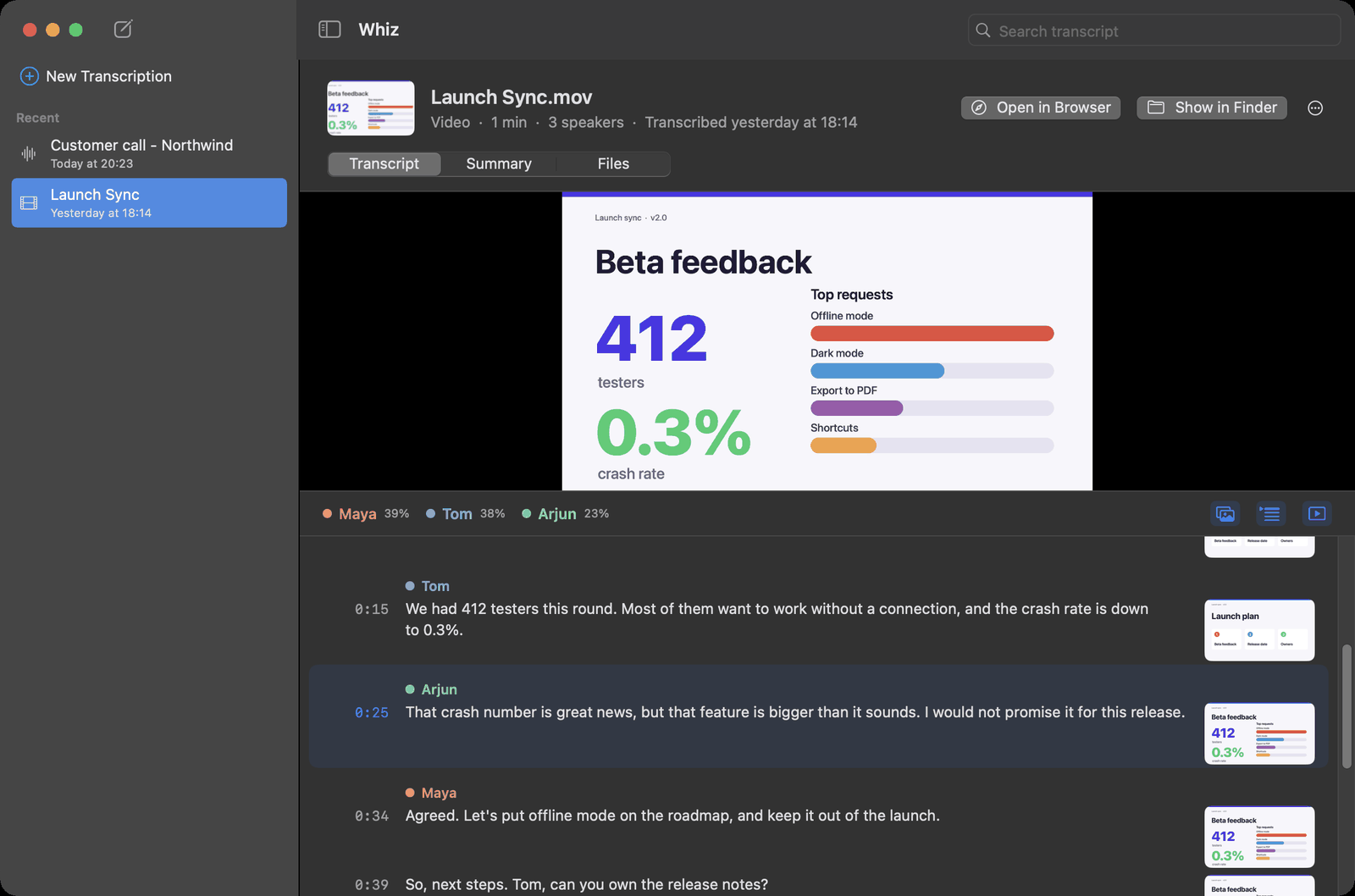
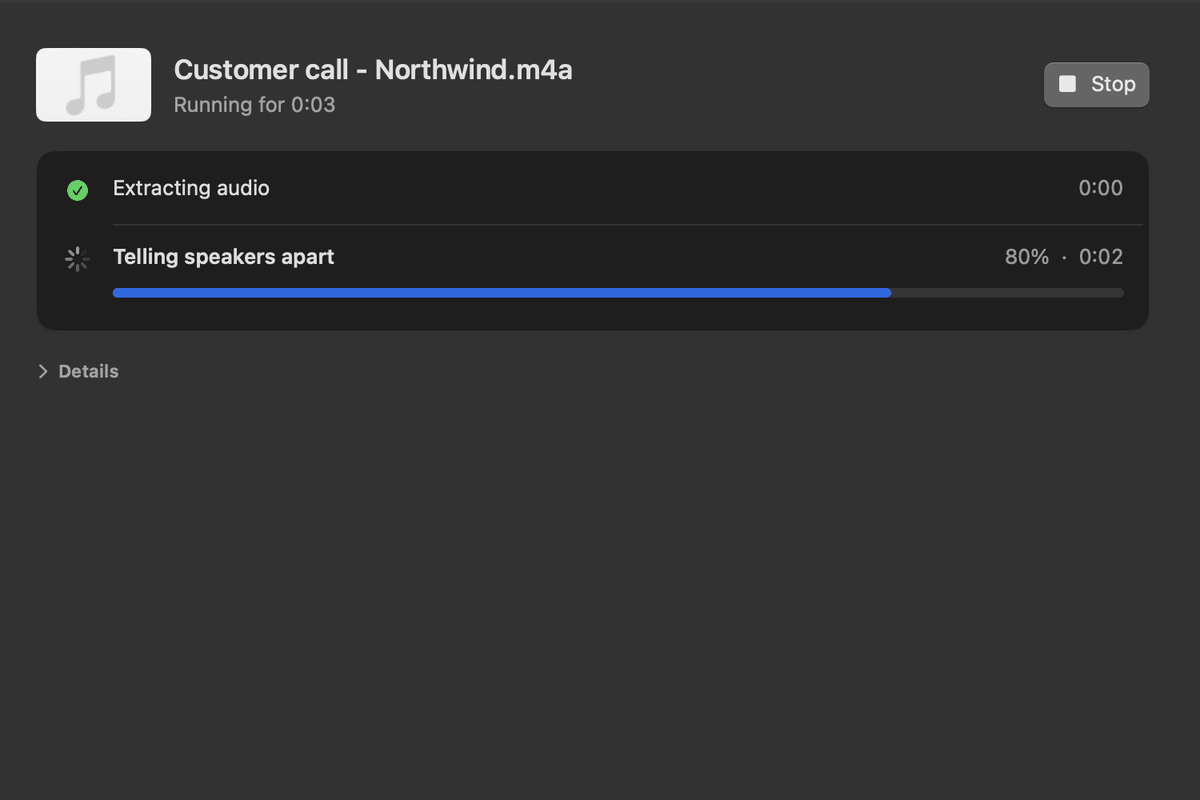
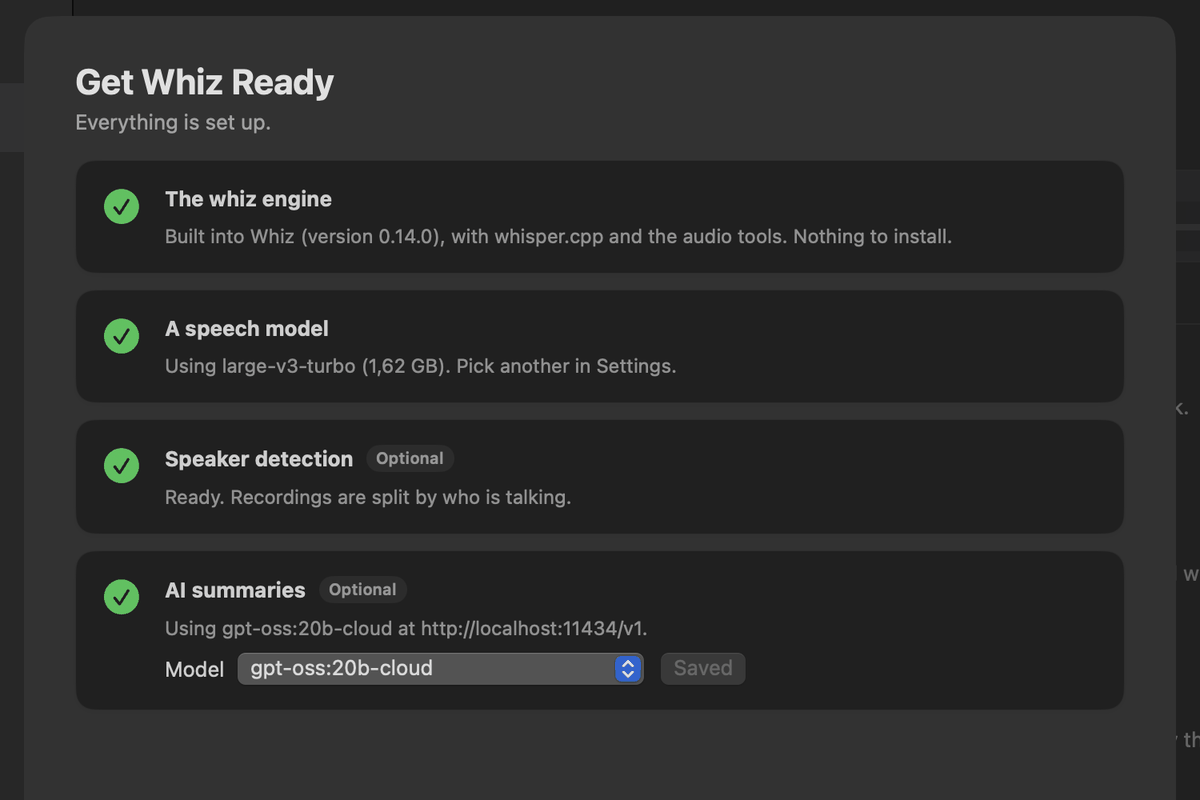
Drop a recording in the window. Whiz transcribes it, tells the speakers apart, recognizes voices you named before, keeps the frame that was on screen for every line, ready for your AI agent, and writes the summary. Everything it needs comes inside the app: no Homebrew, no Python, no terminal. The speech model downloads on first launch.
- No subscription: every 1.x update included
- Five free transcriptions to try it on your own recordings
- One license per person, on all of their Macs
- 30-day refund, no questions asked
- Apple silicon, macOS 13.3 or later
Checkout and download open with the first signed release.
Thank you for buying Whiz
Getting your license key…
In Whiz, open Whiz → Enter License Key…: a copied key fills in by itself. Keep this key. If you lose it, write to hello@duduphudu.app from the email you bought with.
Install
One install, then one command per recording
$ pipx install git+https://github.com/ReidenXerx/whiz.git

# the happy path — video
$ whiz transcribe recording.mov

# add the HTML transcript
$ whiz transcribe --outputs srt,html recording.mov

# transcribe and analyse in one go
$ whiz transcribe --analyze recording.mov

# analyse a transcript you already have
$ whiz analyze recording.mov
The rest of the commands
whiz merge re-tunes speakers without re-transcribing · whiz models lists and downloads models · whiz speakers lists, forgets and matches voices · whiz config shows and edits settings · whiz upgrade updates the install.
Every command explains itself with --help, and the terminal output degrades to clean plain text the moment you pipe it somewhere.
Video inputs turn on screenshots, speaker detection and the naming prompt by themselves. Pass--no-screenshots,--no-speakersor--no-name-speakersto opt out.